Bulk order list
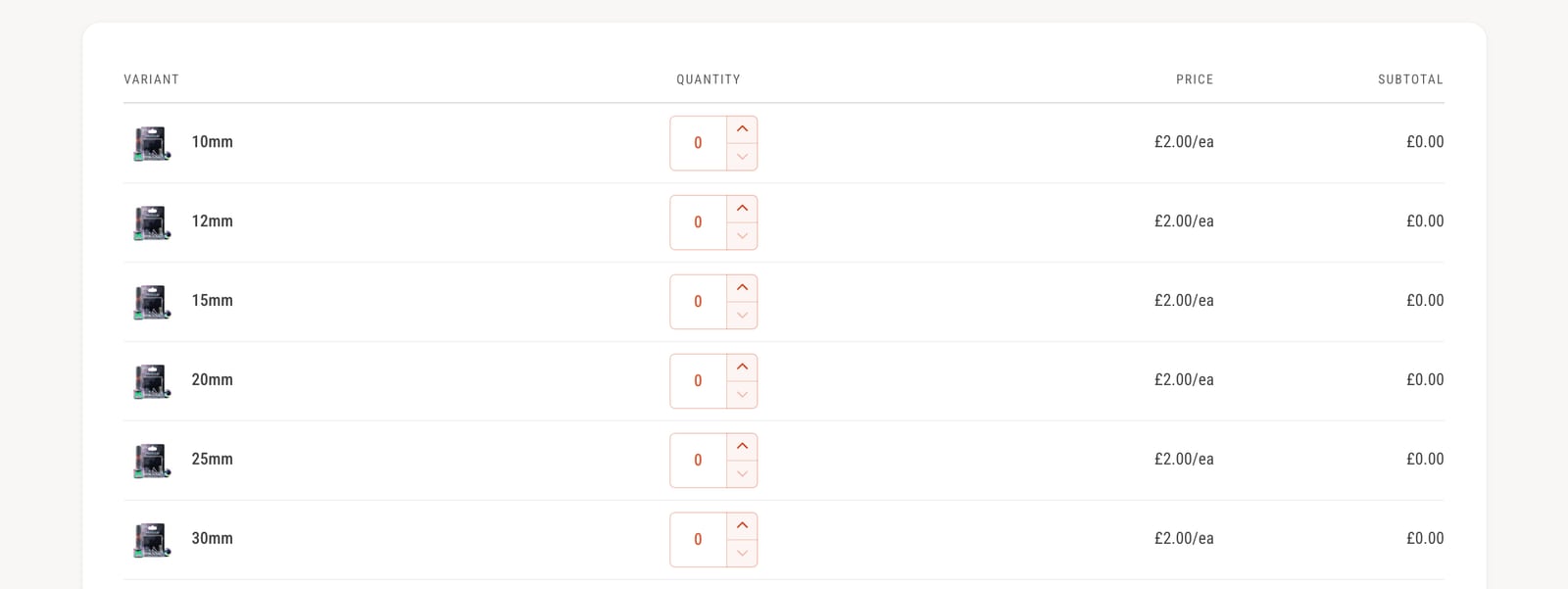
When customers buy several sizes or colors of the same product, picking one variant at a time is slow. A bulk order list shows every variant in a table, so they can set all the quantities at once.
Set up a bulk order product
- In your Shopify admin, open the product.
- Under Theme template, choose bulk-order, then click Save.
- In the theme editor, open Products > bulk-order to adjust the page. The Bulk order list section sits below the product details.
Products on this template also get a Bulk order badge on their product cards, so customers know what to expect. You can change its colors, or turn it off, in Product badges.
How customers use it
- Each row is one variant, with its image, price and a quantity box.
- Changing a quantity updates the cart straight away. The total in the cart and the subtotal show under the list.
- Sold-out variants can’t be ordered.
- If you offer quantity price breaks, such as with Shopify B2B, the list shows the price for each quantity.
Bulk ordering from collection pages
Customers can also use the list without opening the product page:
- Go to Theme settings > Product cards and turn on Enable quick add.
- Set Quick add popup type to Bulk order.
- Optionally, set Button for products without variants to Quantity selector, so single products get a quantity box right on the card.
- Click Save.
Settings
| Setting | Where | What it does |
|---|---|---|
| Show variant images | Theme settings > Bulk order list | A small image on each row. On by default. |
| Show variant SKUs | Theme settings > Bulk order list | Adds the SKU, which trade customers often order by. |
| Show shadow and Color scheme | Theme settings > Bulk order list | The look of the list, on the product page and in quick add. |
| Only show when the product has at least X variants | Bulk order list section | Hides the list on products with few variants. Set to 0 to always show it. |
| Heading | Bulk order list section | The title above the list, such as “Bulk order”. |
Common questions
How do I add a quick order list to a Shopify product with Ignite?
Assign the bulk-order product template to the product in your Shopify admin. That template already includes the Bulk order list section.
Can customers bulk order from a collection page?
Yes. In Theme settings > Product cards > Quick add, set Quick add popup type to Bulk order. The quick add popup then shows the bulk order list.
Is there a limit to how many variants show?
The bulk order list shows up to 250 variants per product.