Animated and styled headings
Ignite’s headings have a few tricks that work across almost every section: line breaks exactly where you want them, words that rotate, and highlighted words in your accent color.
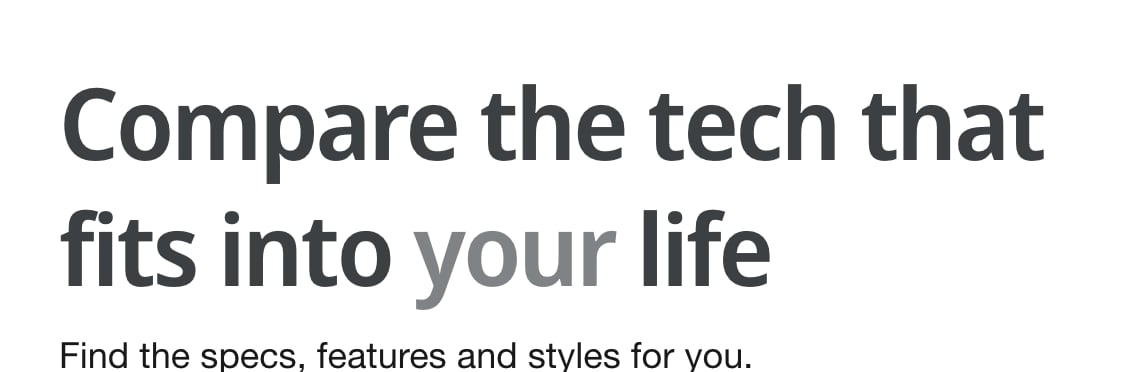
Line breaks
Type ++ in a heading where you want a new line. It’s the easiest way to control how a heading wraps, so it doesn’t leave a single word on its own line.
Built to last++Made to moveMany text and caption fields support ++ too. Check the hint under the field in the theme editor.
Rotating words
Put a few words in square brackets, separated by a vertical bar |. The heading shows the first word, then cycles through the rest.
We deliver exceptional [products|service|value]- Use one set of brackets per heading.
- Don’t make the brackets or vertical bars bold or italic, or the animation won’t work.
- Keep the words short and similar in length, so the heading doesn’t jump around as they change.
Highlighted words
Make a word or phrase italic in the heading, then choose a style in Convert italic text to:
| Option | Looks like |
|---|---|
| Off (keep as italics) | Plain italics. |
| Lighter | A lighter tone of the heading color. |
| Accent color | The scheme’s accent color. |
| Accent gradient color | The scheme’s accent gradient. |
| Outline | Outlined letters with a clear middle. It may not suit every font. |
| Outline - Accent color | An outline in the accent color. |
| Glow - Accent color | A soft glow in the accent color. |
| Glow with outline - Accent color | Both together. |
The accent color and accent gradient are set in each color scheme. See Color schemes.
Gradient headings
A color scheme can also have a Heading text gradient, which colors every heading in sections using that scheme. It doesn’t apply to headings with rotating words.
Size and heading tag
- Heading size sets how big it looks. Many heading blocks also have Custom, for an exact size and line height.
- Heading tag sets its level for search engines and screen readers, without changing the look. Use one H1 per page, then H2 for main sections.
Common questions
How do I add a line break to a heading in Ignite?
Type ++ where the line should break, as in Built to last++Made to move.
How do I make words rotate in a heading?
Put the words in square brackets, separated by a vertical bar, as in We deliver exceptional [products|service|value].
How do I highlight one word in a heading?
Make the word italic in the heading, then choose a style in Convert italic text to, such as Accent color or Glow.
Why aren’t my rotating words working?
Check that the brackets and vertical bars aren’t bold or italic, and that the heading has only one set of brackets.