Testimonials
People trust other people. The Testimonials/reviews section shows what customers say about you, with star ratings, names and photos, so new visitors can see they’re in good hands.
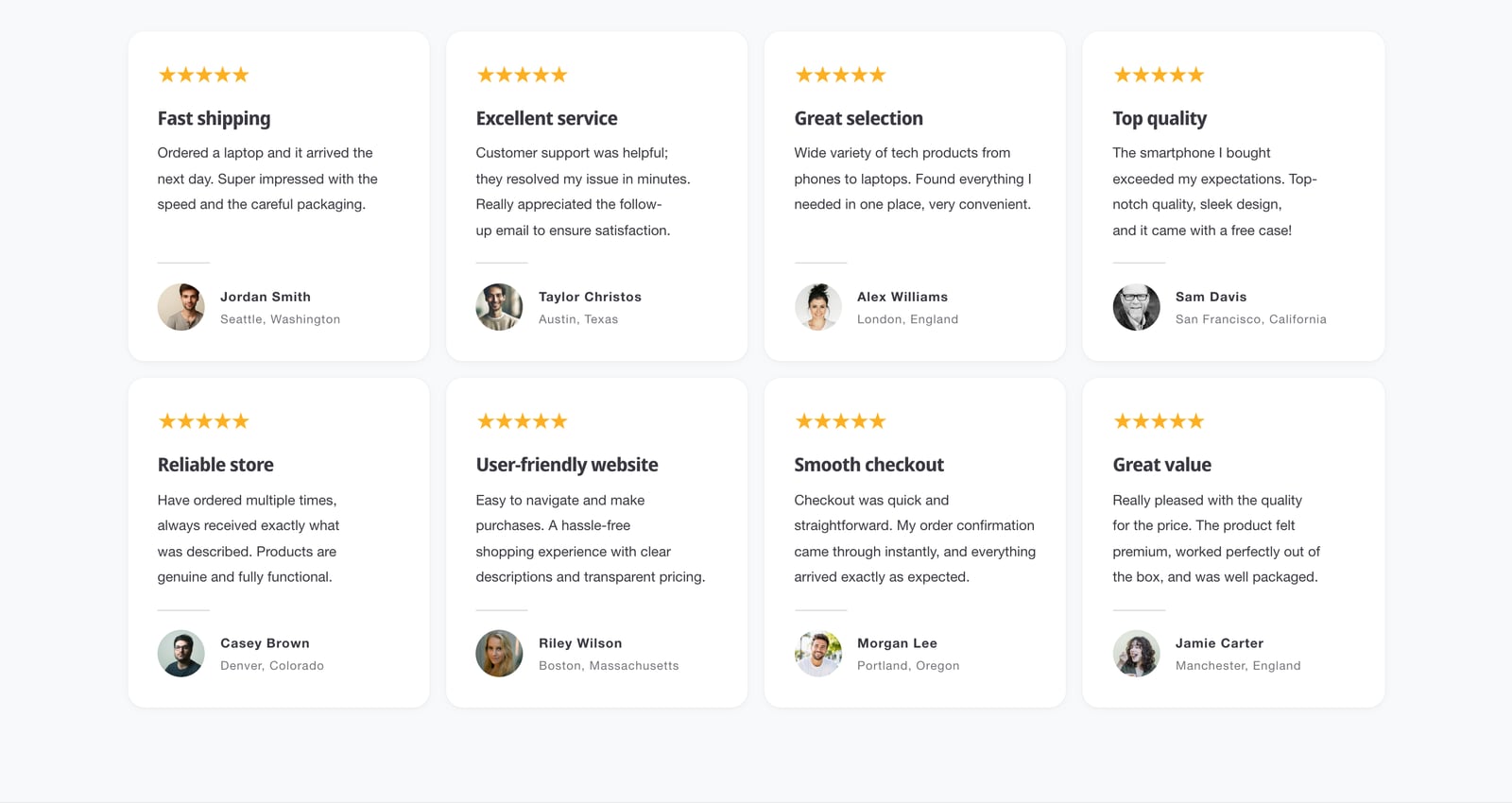
Add testimonials
- In the theme editor, click Add section and choose Testimonials/reviews.
- Click a Card block. Set the Star rating from 1 to 5, and add a heading and the review text.
- Add the author’s name, a caption such as their city, and a photo if you have one.
- Add more cards, then click Save.
What a card can show
- Image: a picture at the top, such as the product being reviewed, with its shape and width.
- Star rating, Heading and Text.
- Author image, Author name and Author caption.
- Testimonial card link: makes the card clickable, such as linking to the product.
- Card color scheme: each card can have its own colors.
Section settings
| Setting | What it does |
|---|---|
| Review style | Stars, a quote mark, or neither, with Star/quote size and the Stars/quotes color. |
| Make text as tall as possible | Lines up the authors when reviews are different lengths. |
| Show line above author | A thin divider between the review and the author. |
| Desktop layout and Mobile layout | Grid or carousel, set separately. |
| Number of columns on desktop | 1 to 5. |
| Minimum height and Content padding | The size of each card. |
| Background image | An image behind the whole section. |
Testimonials and search engines
Testimonials don’t add review structured data. Google doesn’t show stars for reviews a store publishes about itself. For stars in search, use a reviews app that saves product ratings to Shopify’s standard metafields. See SEO and AI search.
Common questions
How do I add customer reviews to my Shopify home page with Ignite?
Add the Testimonials/reviews section and add a Card block for each review, with the star rating, text and author.
Do testimonials show star ratings in Google?
No. Google doesn’t show stars for reviews a store publishes about itself. Product ratings from your reviews app can appear in search through Ignite’s product structured data.