The 5 best Shopify themes for electronics stores
Shoppers rarely compare a phone with a laptop. They compare two near-identical models. Five themes, ranked on how well they make that difference clear.
 6 min read
Quick answer
The best Shopify theme for electronics is Ignite, in its flagship Ignite preset. It’s built for shoppers who compare, with side-by-side product compare, spec tables that change with the variant and honest stock counts, and it’s the least expensive of our five. Also worth a look: Hyper (Nexvo) for premium hero products, Concept for mobile-heavy stores, Enterprise for raw speed and Impact for bold, brand-led design.
We make Ignite, so weigh our first place accordingly. What we say about the other four comes from their own Theme Store listings. All four are popular, well-reviewed themes, and several have far more reviews than we do.
What is your shopper actually comparing?
Tech shoppers compare. They open six tabs, read the specs twice and then wait for a price drop.
It’s worth asking what they’re comparing, though. It’s rarely a phone against a laptop. More often it’s two phones that differ by one storage tier and a color, or two pairs of headphones a model year apart. The store that makes that small difference easy to see keeps the shopper, because they never need the other tabs.
So the home page demo tells you very little. These are the things we looked for instead:
- Side-by-side product compare, started from the product card, without an app.
- Specs in a proper table rather than a wall of description text, updating when a shopper picks a different storage size or color.
- Mega menus, filters, swatch filters and predictive search, which turn a catalog of thousands into a short list.
- Honest urgency. Real stock counts and back-in-stock alerts beat fake timers, and electronics buyers can tell the difference.
- Pre-orders and countdowns for the next launch.
- Ordering for business buyers, since offices and resellers buy in bulk.
How we weighed them
We started with the themes the Shopify Theme Store lists for electronics, read every listing and ranked the strongest against that list. Comparison and specs carried the most weight, because that’s where electronics sales are won or lost. Catalog handling came next, then reviews and price.
Prices, ratings and review counts change, so check the Theme Store before you buy. Every theme here can be tried on your store for free.
The ranking
| # | Theme | Best for | Price | Rating |
|---|---|---|---|---|
| 1 | Igniteby Benchmark Themes | Tech stores that live and die by comparison | $380 | 100% (113 reviews) |
| 2 | Hyper, Nexvo presetby FoxEcom | Premium tech brands with a few hero products | $400 | 99% (523 reviews) |
| 3 | Conceptby RoarTheme | Stores where most sales happen on a phone | $400 | 99% (673 reviews) |
| 4 | Enterpriseby Clean Canvas | Large catalogs chasing raw speed | $420 | 90% (113 reviews) |
| 5 | Impactby Maestrooo | Bold, brand-led tech launches | $400 | 85% (200 reviews) |
1. Ignite
- Best for
- Tech stores that live and die by comparison
- Price
- $380, paid once
- Rating
- 100% positive, 113 reviews
- Designer
- Benchmark Themes
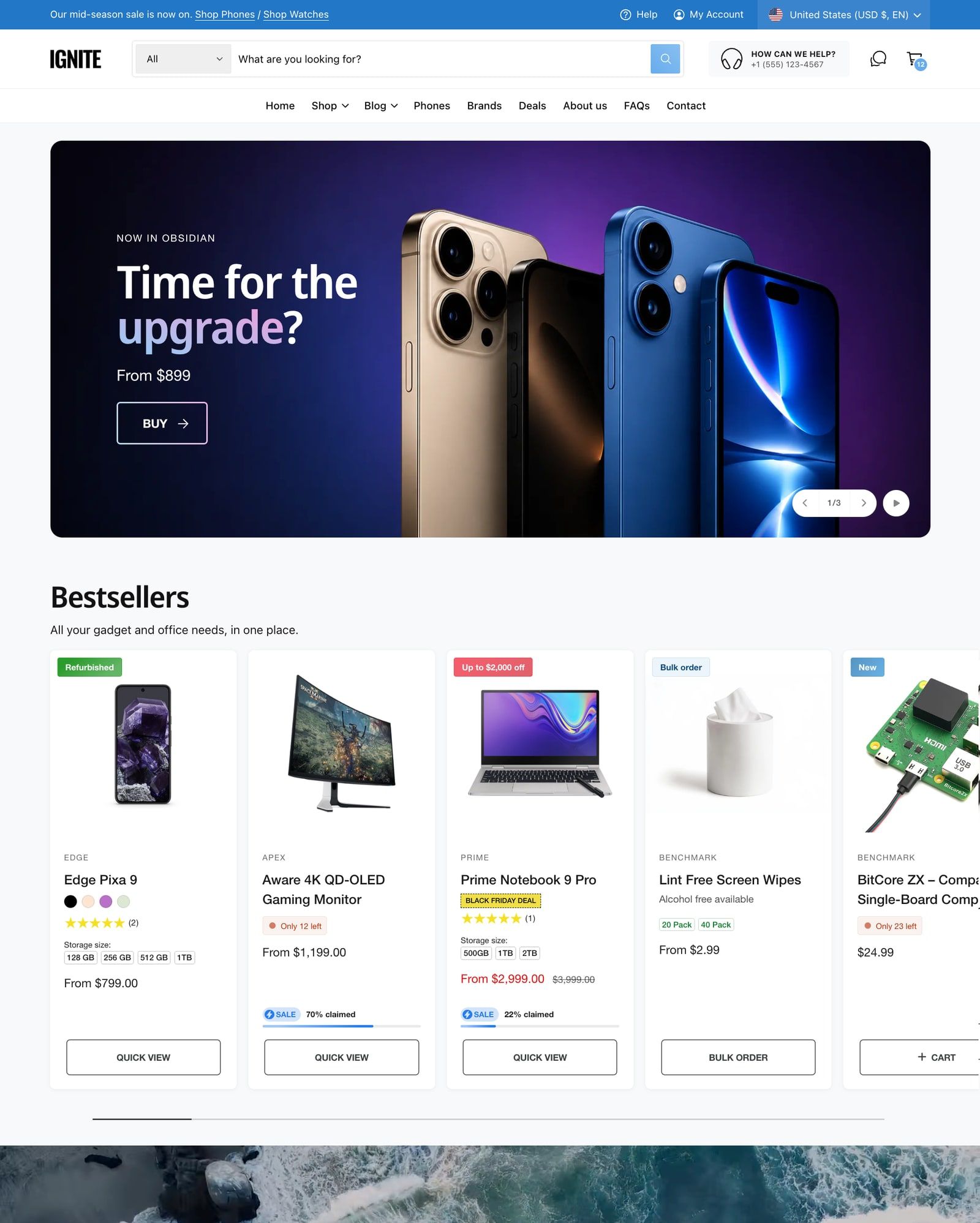
Ignite is our theme, and its flagship preset is set up for tech and electronics. It’s designed for the moment a shopper is stuck between two very similar things.
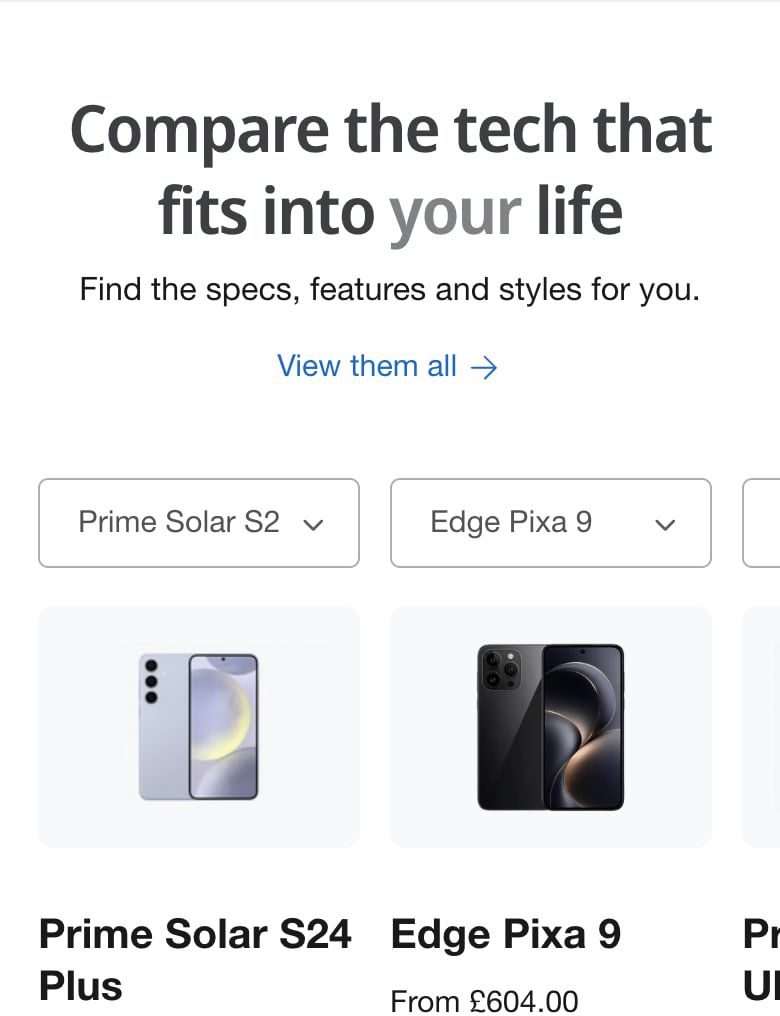
Shoppers add products to product compare straight from the product card, then see them side by side in a grid or a table-style layout. On the product page, the Table block shows up to 15 rows of specs. Its cells can pull from variant metafields, so the specs change when a shopper picks a different model.
Stat counters turn the number that matters, such as battery life, storage or units sold, into the headline. And low stock counts on product cards and product pages turn “I’ll think about it” into “I’ll take it”.
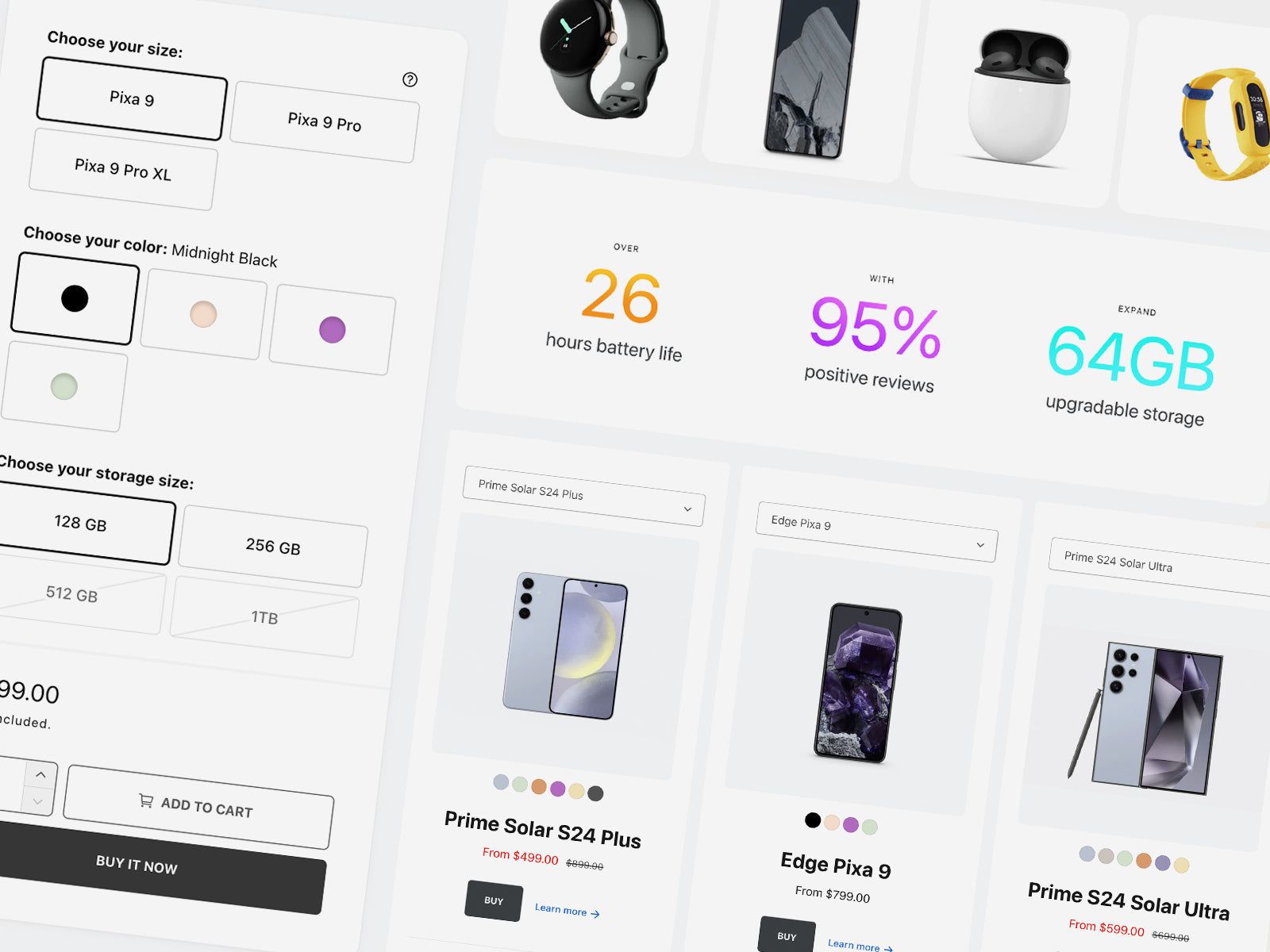
Around that sit the tools a big catalog needs: mega menus, predictive search, filtering and swatch filters. There are members-only discount codes, back-in-stock alerts and a pre-order template for launches. Trade buyers get quick order lists and a bulk order template. Ignite holds a 100% positive rating from 113 reviews, and support is by email from real people in the UK.
One caveat: Ignite has fewer reviews than Hyper or Concept, though every one of them is positive. We only make one theme, so it gets all of our attention.
2. Hyper (Nexvo preset)
- Best for
- Premium tech brands with a few hero products
- Price
- $400, paid once
- Rating
- 99% positive, 523 reviews
- Designer
- FoxEcom
Nexvo is the tech preset of Hyper, by FoxEcom. Its listing is about presentation, with close-ups and motion that show off premium products. It also lists built-in product comparison for tech-heavy categories, plus product bundles and promotions without an extra app.
With 523 reviews at 99% positive, it’s one of the most popular themes in the category. If you sell more than a handful of hero products, check how its comparison and spec layouts cope with a large catalog.
3. Concept
- Best for
- Stores where most sales happen on a phone
- Price
- $400, paid once
- Rating
- 99% positive, 673 reviews
- Designer
- RoarTheme
Concept, by RoarTheme, has more reviews than any other theme here: 673, at 99% positive. Its listing leans into mobile, with carousel swipes and an app-like feel for shoppers on a phone, plus highly customizable built-in sections. For stores where most sales happen on a phone, that focus is a real strength.
The question for your trial: are side-by-side comparison and spec tables built in? It matters if your shoppers compare before they buy.
4. Enterprise
- Best for
- Large catalogs chasing raw speed
- Price
- $420, paid once
- Rating
- 90% positive, 113 reviews
- Designer
- Clean Canvas
Enterprise, by Clean Canvas, sells itself on speed. Its listing says it’s handmade from the ground up, with no external libraries. It includes flash messages, a sticky add to cart and popups tailored to each page, and Clean Canvas points to more than ten years of making themes.
At $420 it’s the most expensive theme here. It has 113 reviews at 90% positive.
Speed claims are easy to test, so test this one. Run its demo through PageSpeed Insights alongside the others.
5. Impact
- Best for
- Bold, brand-led tech launches
- Price
- $400, paid once
- Rating
- 85% positive, 200 reviews
- Designer
- Maestrooo
Impact, by Maestrooo, is the most design-led theme on this list. Its listing talks about gradients, big headings and subtle animations, with more than 35 sections. On the conversion side, it lists quick buy on collection pages, a sticky add to cart and complementary products. It has 200 reviews at 85% positive.
That listing is about the look more than the data, so check how it handles detailed specs.
Where product compare gets its specs
A comparison is only as good as the data in it. When merchants ask us in support how to fill Ignite’s comparisons with specs, the answer is product metafields.
- Create a product metafield for each spec you want compared.
- Set its value on each product.
- In the Product compare section or the Product compare drawer, add a Product metafield block and enter the metafield’s namespace and key, such as
custom.camera_megapixels.
The other question we get is why the Product compare section takes a second to appear. It’s lazy loaded: it loads as the shopper scrolls to it, or is about to, so the rest of the page loads faster. At a normal scrolling speed, most shoppers won’t notice. Scroll down very fast to test it and you will.
Spec tables that change with the variant
Pick 256GB instead of 128GB, and the specs on the page should follow. A table that updates with the variant saves a lot of “which one is this?” emails. In Ignite it takes four steps.
- In your Shopify admin, go to Settings > Metafields and metaobjects > Products and create a metafield for each spec, such as screen size or battery life. For specs that differ by variant, create variant metafields too.
- Fill in the metafields on each product.
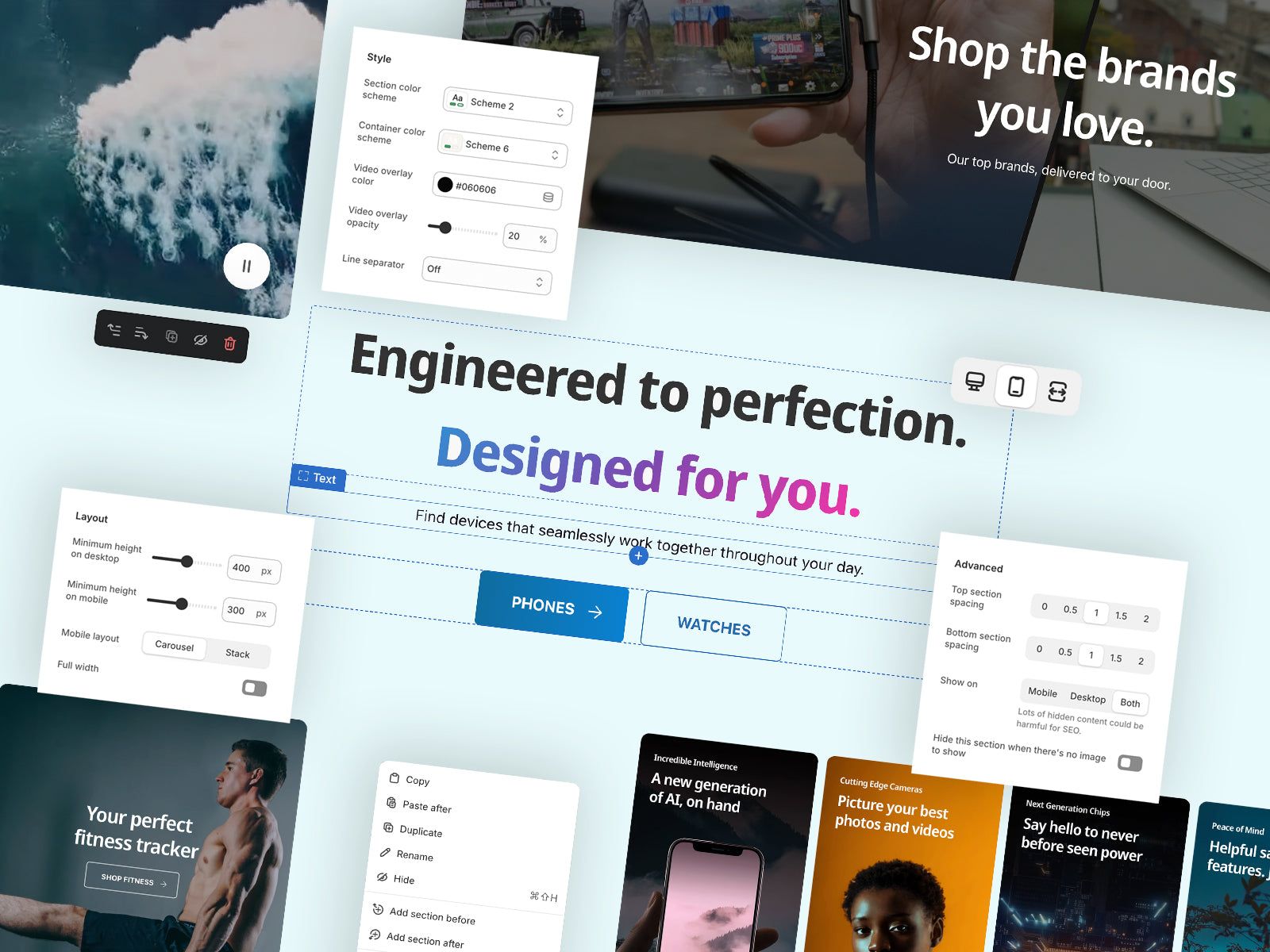
- In the theme editor, add a Table block to Product information.
- Click the database icon next to each cell and choose the matching metafield. For a variant metafield, type its namespace and key in square brackets, such as
[custom.storage_size].
Empty rows are hidden, so one table works for every product. The product page guide has the details. For everything else Ignite does for tech stores, see Ignite for electronics stores.
Questions
Which electronics theme suits which kind of store?
Ignite suits stores whose shoppers compare, with side-by-side product compare and spec tables that change with the variant. Hyper (Nexvo) suits premium hero products, Concept suits mobile-heavy stores, Enterprise suits stores chasing raw speed and Impact suits bold, brand-led design.
Do Shopify themes have product comparison built in?
It depends on the theme. Ignite and Hyper both list product comparison as a built-in feature. With many other themes you’d need an app for it.
How do I show specifications on Shopify product pages?
Store each spec in a product or variant metafield, then show them in a table on the product page. In Ignite, the Table block holds up to 15 rows and each cell can pull from a metafield, so every product shows its own specs. Add a spec table.
Is Ignite good for B2B electronics and trade sales?
Yes. It’s B2B-ready, with quick order lists that let buyers add many variants at once and a bulk order template. Quantity pricing is available on Shopify Plus.
Which of these electronics themes has the most reviews?
Concept, with 673 reviews, followed by Hyper with 523. Ignite has 100% positive reviews from a smaller number. Counts were checked on the Shopify Theme Store on November 3, 2026.
Can I try a Shopify theme before buying it?
Yes. Paid themes on the Shopify Theme Store can be tried on your store for free. You only pay when you publish.
This page contains affiliate links to the Shopify Theme Store. If you buy a theme through one, we may earn a commission, whichever theme you choose.